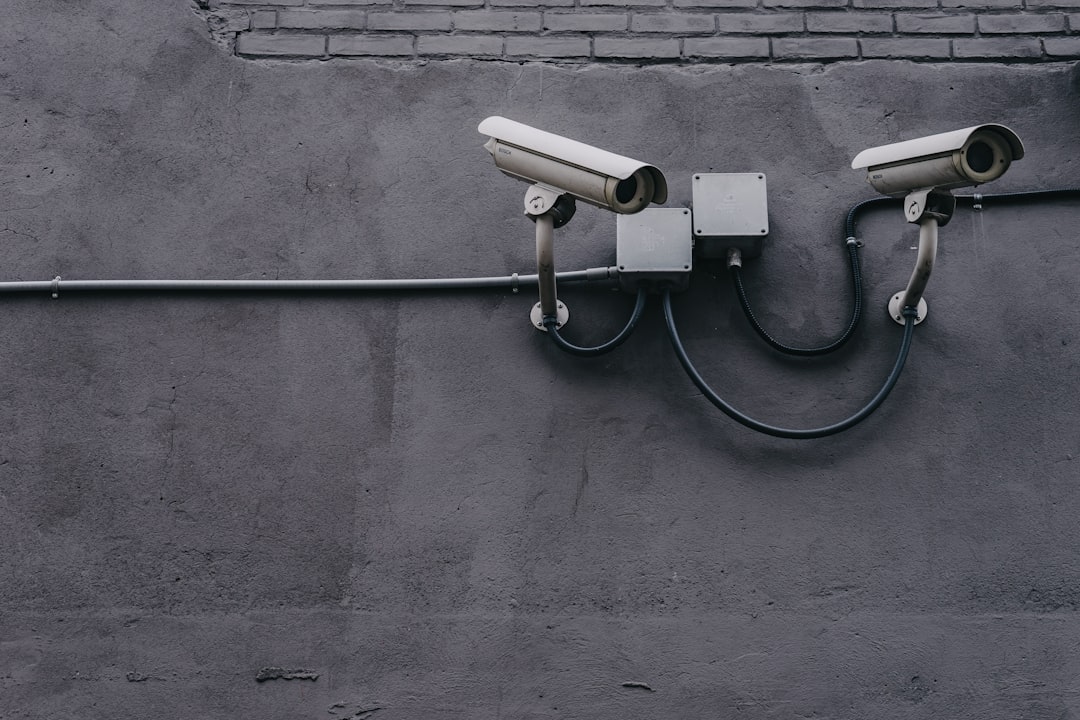
A smart smoke detector can improve alerting and remote awareness, but it also introduces an account, an app, and potentially cloud-connected data into a life-safety device. This reusable privacy checklist explains what to review before installation, how to limit unnecessary access, and how to remove a detector safely when household members, networks, or devices change.
Overview
Smart smoke and carbon monoxide detectors may collect more than alarm events. Depending on the model and its connected features, the related app may process account details, device identifiers, home or room information, notification settings, approximate location, household member permissions, and diagnostic data. Some products also offer sound detection, voice features, or integrations with Alexa, Google Home, Apple Home, security systems, and other automation platforms.
The exact data practices vary by manufacturer and product. Do not assume that a detector with similar features has the same privacy settings as another model. Before buying or installing a smart smoke detector or smart carbon monoxide detector, check the product's privacy notice, app permissions, account-recovery process, firmware support information, subscription terms, and local alarm behavior.
Privacy should not come at the expense of fire protection. A connected detector must still be installed, tested, powered, and replaced according to its instructions and applicable local requirements. If internet access, an account, or a subscription stops working, the device's basic local alarm should remain a central consideration. Confirm this behavior in the product documentation rather than relying on assumptions.
For broader installation planning, see our room-by-room smart fire alarm setup guide and smart smoke detector maintenance checklist.
Checklist by scenario
Before buying or installing
- Identify account requirements. Check whether setup requires an account, a mobile app, a particular phone platform, or a paid plan. Separate features that protect life safety from optional remote or automation features.
- Review the data categories. Look for references to email addresses, phone numbers, home addresses, room names, location data, device diagnostics, alarm history, voice recordings, and information shared with service providers or integration partners.
- Check for microphones or audio features. A detector may use sound-related functions for alarms, testing, intercom features, or other connected services. Confirm whether audio is processed locally, sent to the cloud, stored, or controlled by a separate setting.
- Confirm local operation. Find out whether the smoke and carbon monoxide alarms operate when Wi-Fi, the app, the account, or a subscription is unavailable. A connected alert should supplement, not replace, the detector's local warning.
- Review security controls. Look for two-factor authentication, passkeys or other strong sign-in options, encrypted connections, firmware updates, account-recovery controls, and a way to see active sessions or shared users.
- Check compatibility carefully. An integration with a voice assistant or home security system can make alerts more useful, but it can also expand who or what can access them. Use the smart smoke detector compatibility guide to plan integrations deliberately.
When adding household members
- Invite people through the manufacturer's household-sharing feature instead of sharing one password.
- Give each person the lowest permission level needed. A resident may need alerts without needing ownership, billing, device removal, or account-recovery access.
- Check whether shared users can view alarm history, home location, room names, device status, or other connected devices.
- Remove former residents, contractors, guests, and temporary accounts when their access is no longer necessary.
- Tell household members what an alert contains and which phones, watches, speakers, or other devices may display it.
After changing Wi-Fi, phones, or smart-home services
- Reconnect the detector using the manufacturer's documented process. Avoid factory-resetting a life-safety device unless the instructions explain what will be lost and how to restore it.
- Verify that the detector still reports its status and that each intended person receives a test notification.
- Review integrations after changing a router, voice assistant, security hub, or mobile device. A connection may remain authorized even when you no longer use it.
- Install app and firmware updates from the official manufacturer channel, then recheck privacy and notification settings.
If a network change caused the problem, use this reconnection guide before changing other settings.
Privacy comparison checklist
Use this table while comparing products or auditing an installed device. “Check” means verify the current product documentation and app settings; it does not mean every device offers the same control.
| Area | Questions to ask | Practical privacy action |
|---|---|---|
| Account permissions | Who can administer the detector, invite users, change settings, or delete it? | Use individual accounts and limit administrator access. |
| Household sharing | Can shared users see the whole home, alarm history, or other devices? | Invite only necessary people and review the list periodically. |
| Location data | Does the app request precise location, a home address, or background access? | Allow only what setup, emergency features, or device operation require. |
| Microphones and audio | Does the device include audio hardware or sound-related processing? | Disable optional audio features when they are not needed and check storage terms. |
| Cloud storage | Are alarm events, recordings, diagnostics, or history stored remotely? | Learn retention and deletion controls; avoid enabling optional storage without a clear use. |
| Two-factor authentication | Can sign-in require a second factor or passkey? | Enable the strongest practical option and store recovery codes securely. |
| Local alarm operation | Will the alarm sound without internet, an account, or a paid plan? | Confirm local behavior and test the device using its instructions. |
| Subscription requirements | Which alerts, history, integrations, or support features depend on payment? | Record what remains available if the plan ends or payment fails. |
What to double-check
App permissions: On the phone, review permissions for notifications, Bluetooth, local network access, location, microphone, camera, contacts, and motion or activity data. Some permissions may be needed during setup but not afterward. If disabling one breaks an important alert, decide whether the feature is worth the access and document the choice.
Account recovery: A strong password is less useful if recovery depends on an old email address or phone number. Update recovery details, enable multi-factor authentication, and keep backup codes somewhere accessible but not inside the app's shared household profile.
Integrations: Voice assistants and security hubs can repeat or automate alarm information. Review linked services, routines, speakers, and notification destinations. Avoid routines that could mute, delay, or obscure a life-safety alert. For system-level planning, read our guide to connecting a smart smoke alarm safely.
Network security: Use a supported router with current firmware, a unique Wi-Fi password, and a separate guest or IoT network where it is compatible with the detector and required integrations. Do not place a detector on a network that blocks necessary alerts without testing the result.
Physical and accessibility needs: Privacy controls must coexist with effective warning methods. Review visual, vibrating, or other alert options where relevant, especially for occupants who are deaf or hard of hearing. Our guide to fire safety devices for deaf and hard-of-hearing households can help with that planning.
Common mistakes
- Sharing the primary password: This makes it difficult to remove one person without changing access for everyone.
- Assuming “no subscription” means “no data: A device may avoid a monthly fee while still using an account, app, cloud service, or analytics. Read the privacy and service documentation.
- Granting every phone permission: Enable the permissions that support chosen features, not every request automatically.
- Ignoring old integrations: A former voice assistant, security platform, or household account may retain access after the detector is no longer actively used.
- Factory-resetting without a safety check: A reset can remove Wi-Fi, shared users, alert destinations, or configuration details. Restore and test the detector afterward.
- Replacing privacy review with silence: Muting notifications or disabling connected features may hide warnings without solving the underlying privacy concern. Adjust the feature or choose a device whose design better fits the household.
When to revisit this checklist
Schedule a privacy audit at least every six months and whenever the app, firmware, router, household, or subscription terms change. Also revisit it after a major app update, a new voice-assistant connection, a change in account ownership, a move, or a device transfer. Seasonal planning is a useful reminder to review permissions while completing routine alarm testing and maintenance.
For a practical audit, record the detector model, account owner, shared users, connected services, app permissions, firmware status, subscription-dependent features, and recovery method. Then complete these steps:
- Read the current privacy notice and service terms rather than relying on an older review.
- Remove unneeded users, integrations, phone permissions, and notification destinations.
- Update the account password, recovery details, and multi-factor authentication settings.
- Check firmware and app versions through official channels.
- Test the local alarm and the intended remote alerts separately, following the manufacturer's instructions.
- If transferring or discarding the device, remove it from the account and household, revoke integrations, erase stored settings where possible, and follow the manufacturer's reset and disposal guidance.
- Document the result and set a reminder for the next six-month review.
A privacy-conscious smart fire alarm setup is not a one-time configuration. It is a small, repeatable review that keeps account access, data sharing, alert delivery, and local fire protection aligned as the connected home changes.